> For the complete documentation index, see [llms.txt](https://docs.mindnetwork.xyz/minddocs/llms.txt). Markdown versions of documentation pages are available by appending `.md` to page URLs; this page is available as [Markdown](https://docs.mindnetwork.xyz/minddocs/product/mindv-ended/mindv-user-guide-ended.md).
# MindV User Guide (Ended)
## 🗳️ **What is Voter on Mind Network**
1. A Voter is a key role in the Mind Network ecosystem, responsible for validating the network and ensuring its security and consistency.
2. Voters can exercise their voting power to participate in the operation of various Hubs. By following the rules and participating in the consensus process, they are eligible to receive rewards.
3. It is worth noting that Voters typically need to receive Delegation from users in order to exercise their voting power.
## **Vote on Hubs Tutorial**
\
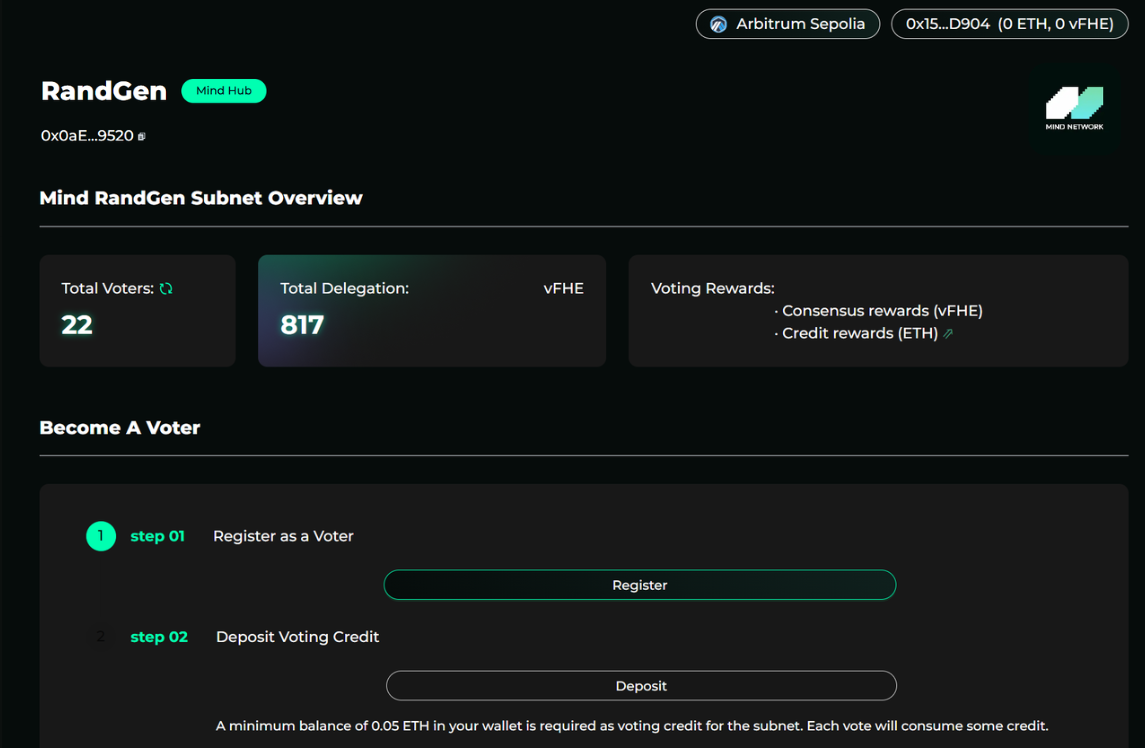
Follow the register steps of the Hub: After entering the Hub page, you'll see the registration process to become a voter. Just follow the steps displayed to complete your registration. \
Example: Registering as a Voter for RandGen
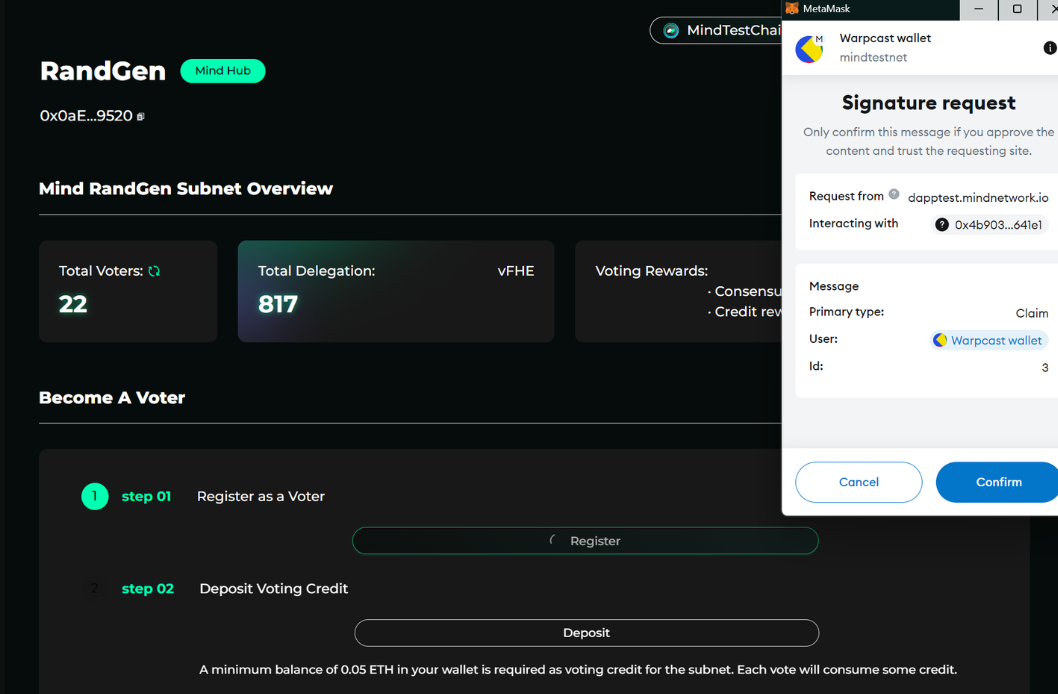
**Step 1**: Click **Register as a Voter**. Your wallet will pop up for a signature request—sign the request to complete the first step of registration.
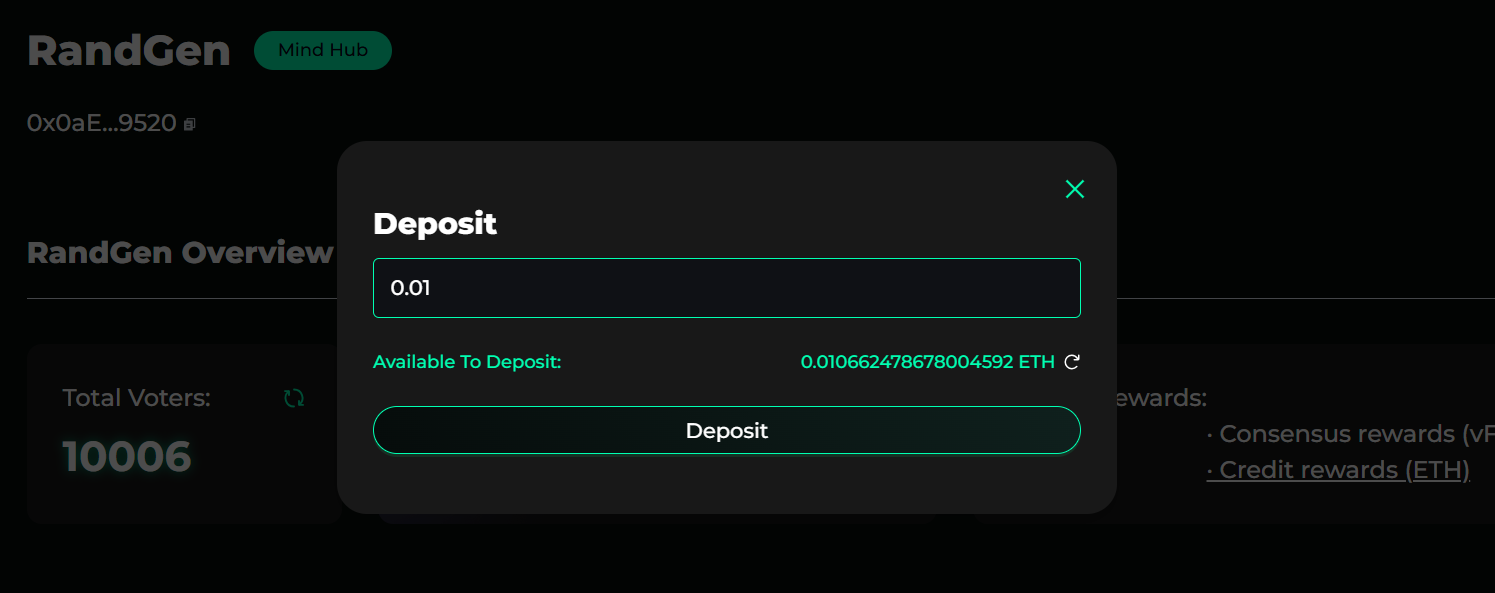
**Step 2**: Deposit of 0.01 ETH as voting credits to Mind is recommended (deposit at least 0.0003 ETH is required). This transaction will be conducted on the Arbitrum chain. Voting credits are used to pay for each voting round, ensuring your voter can continuously participate in voting to generate rewards.
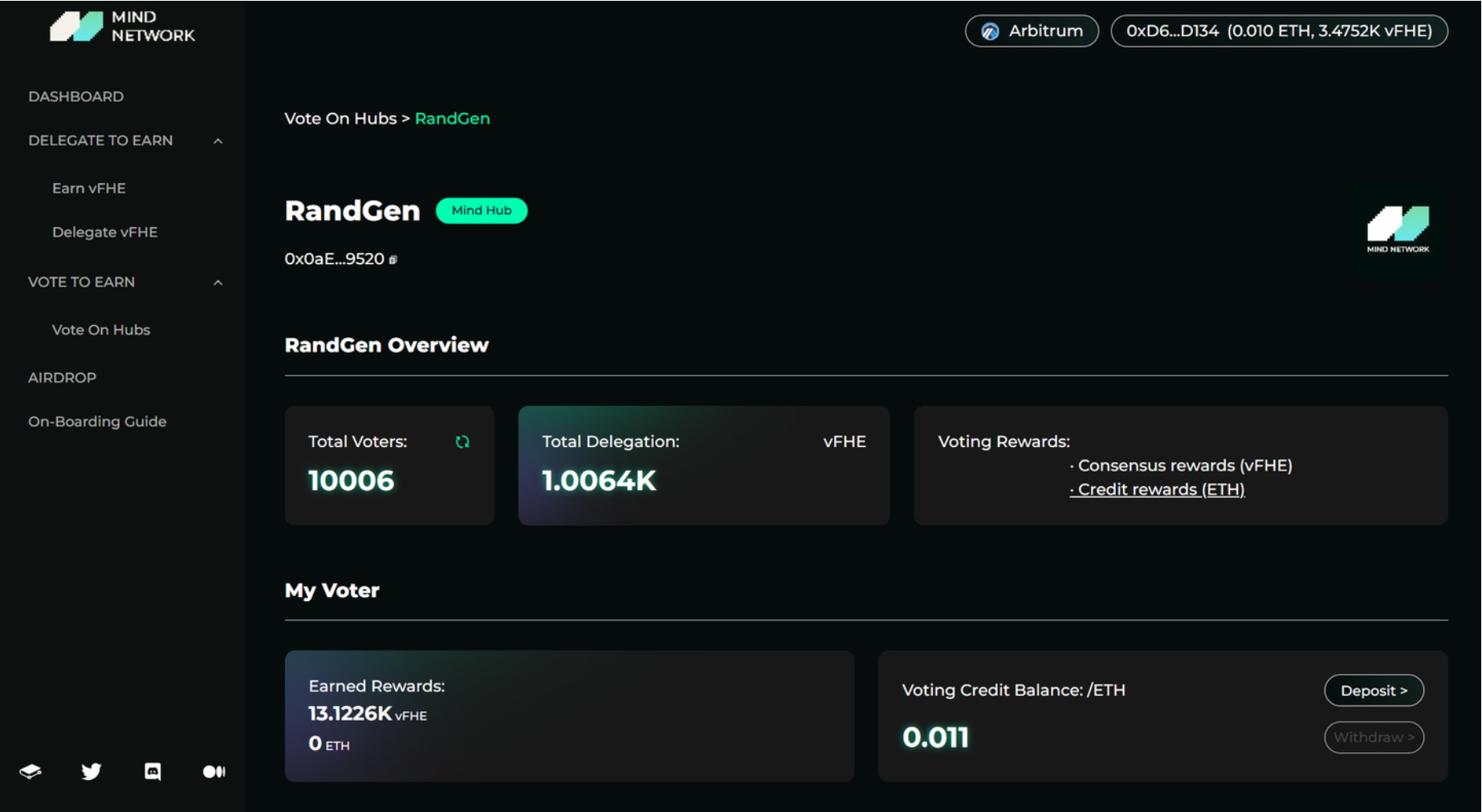
Once the deposit is complete, you will officially become a voter for that Hub. The Hub page will automatically update to show your voter information, including **earned rewards** and your **voting credits balance**. You can also view an overview of all your registered voters' earnings in the \[Voters] section of the **Dashboard**.
**Withdraw:** Credit withdrawals will be available in the future stage
## vFHE Rewards Claim:
You can claim your vFHE rewards directly from the **Dashboard**. The amount of **redeemable vFHE** will be displayed on the page, and you can simply click the **Redeem** button on the right to transfer your vFHE tokens to your wallet.
**Recommended Redeem Time**
To ensure a smooth process, we recommend redeeming and delegating your **$vFHE daily after 7:00 AM UTC**. vFHE rewards are updated **daily between 1:00 AM and 5:00 AM UTC**.
{% hint style="info" %}
**Inactive Accounts & Reward Calculation**
For accounts that meet **all** of the following conditions:
* Hold **less than 100 vFHE**
* Have not made **any transactions** (including redeeming, delegating, or voting) in the **last three days**
The reward calculation will be **paused** until the user makes a transaction again. Once reactivated, the system will **release the accumulated rewards** from the paused period on the following day.
{% endhint %}
### Video Tutorial
Vote on Hubs Tutorial starts at 1:50
{% embed url="" %}