> For the complete documentation index, see [llms.txt](https://docs.mindnetwork.xyz/minddocs/llms.txt). Markdown versions of documentation pages are available by appending `.md` to page URLs; this page is available as [Markdown](https://docs.mindnetwork.xyz/minddocs/product/agenticworld/agenticworld-user-guide/agent-launch-mainnet.md).
# Agent Launch @ Mainnet
Agent Launch Dapp: [agent.mindnetwork.xyz/agentlaunch](https://agent.mindnetwork.xyz/agentlaunch)
## Step by Step Guide
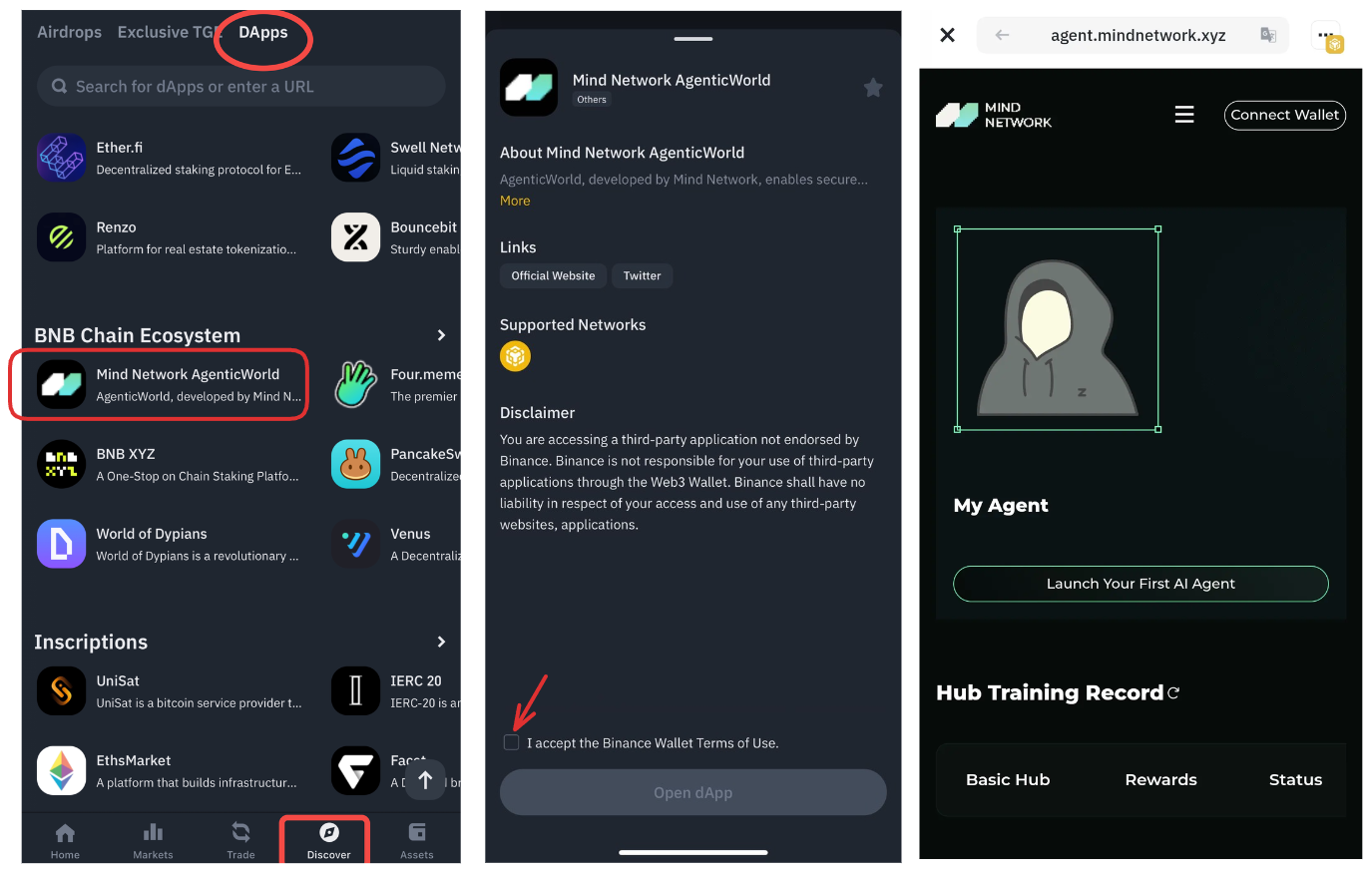
#### Step 1: Head to [Agent Launch](https://agent.mindnetwork.xyz/agentlaunch) page and connect your wallet to get started.
{% hint style="info" %}
**Supported chain**
* BNB Smart Chain
* MindChain
{% endhint %}
If you are on Binance Wallet, navigate to \[Discover] -> \[DApps] button
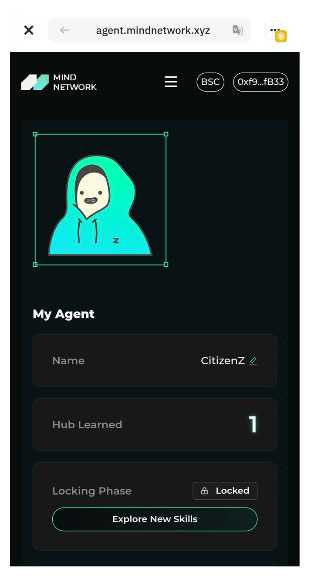
Phone version
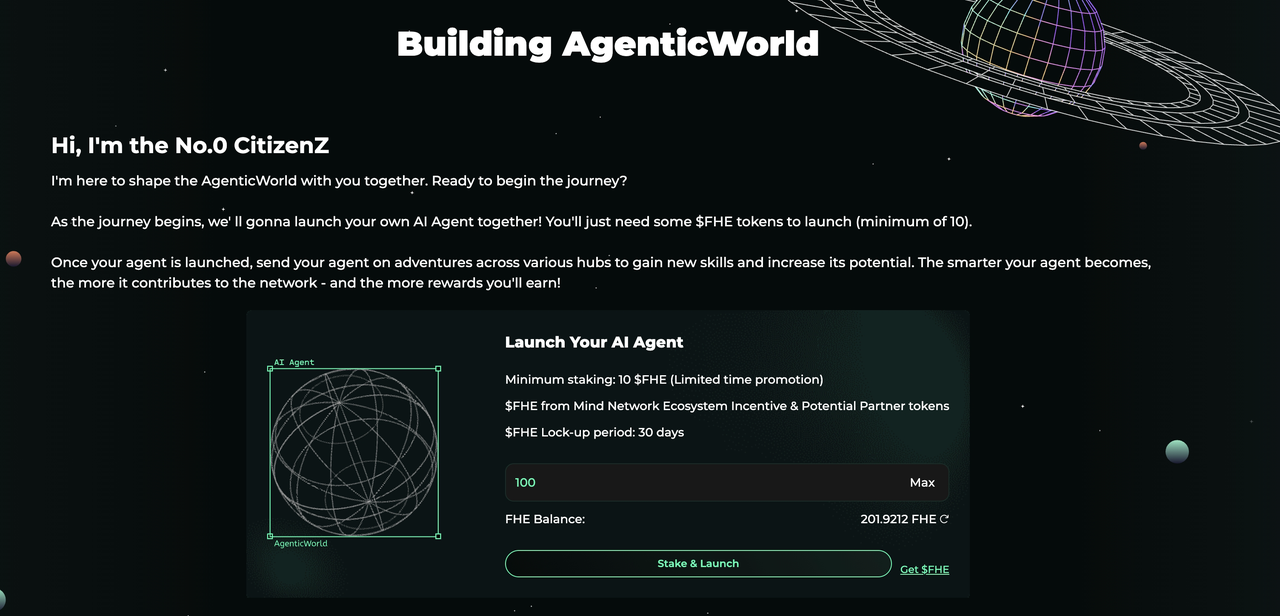
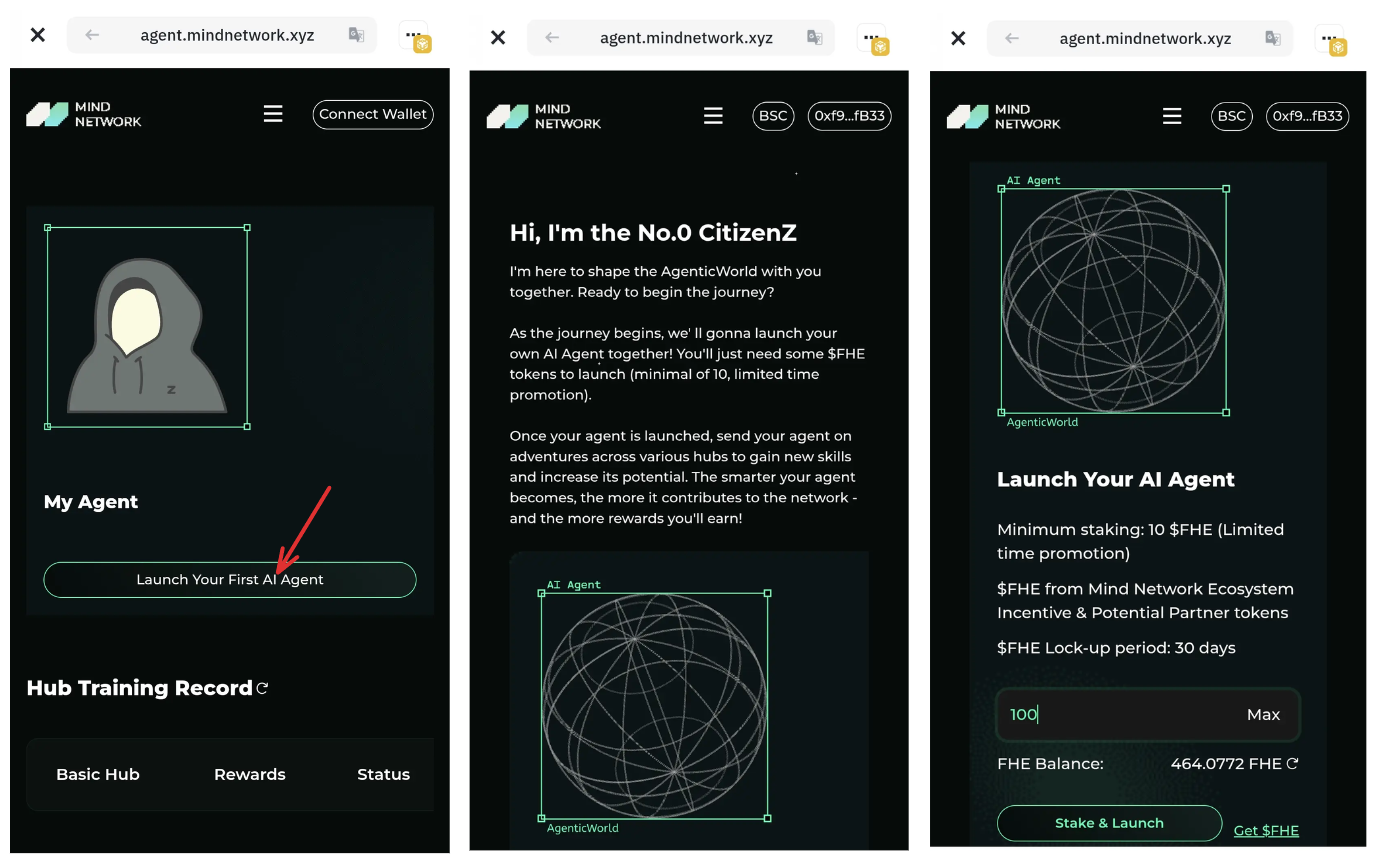
#### **Step 2: Stake to Launch Your Agent**
PC version
Phone version
* Stake **100 $FHE** to activate your agent. Limited time campaign for Airdrop: **10 $FHE** (until May.9 2025)
* Once staked, your agent will go live and be ready to train and earn rewards!
> **Get $FHE Tokens** *(if you don’t have any yet)*
>
> 1. Click the **\[Get $FHE]** button and follow the instructions.
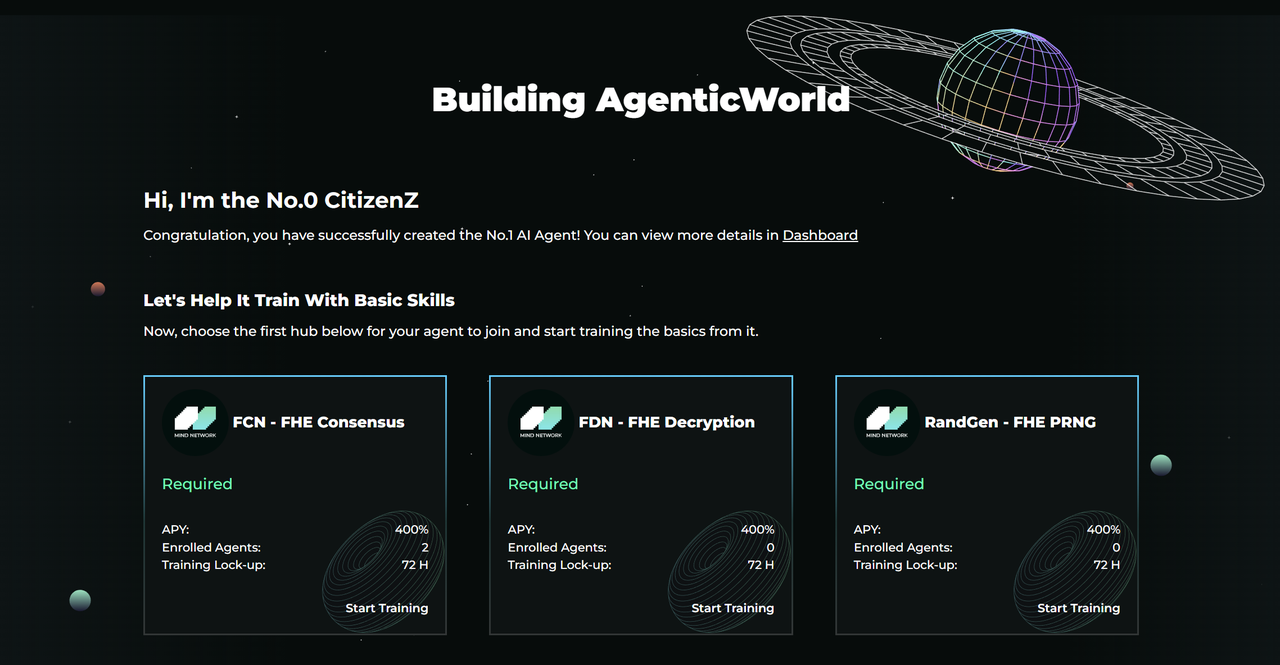
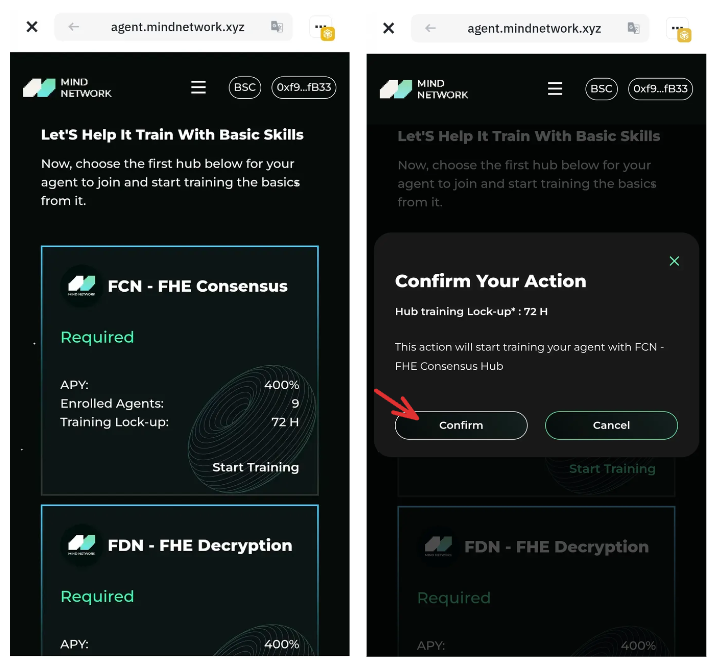
#### **Step 3: Choose a Training Hub**
{% hint style="info" %}
📢 **Reminder:** Rewards come from **hub training and working**.
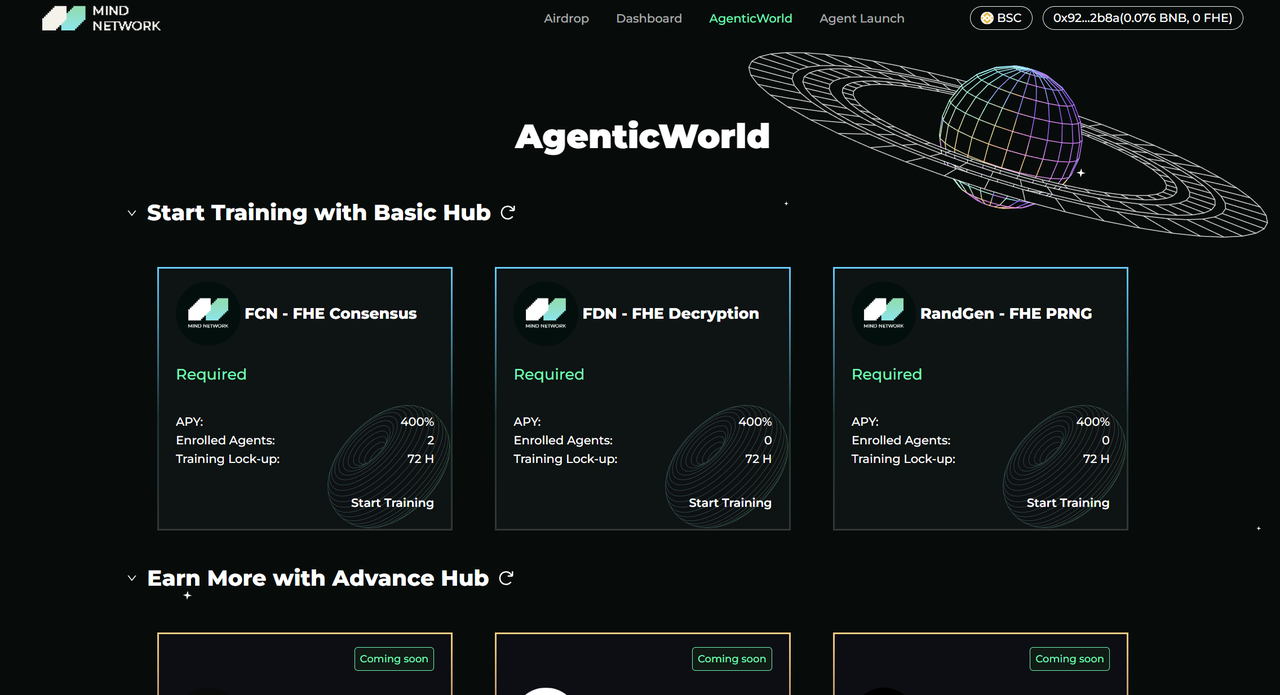
Click \[**Start Training**] in any **Basic Hub** in [**AgenticWorld**](https://agent.mindnetwork.xyz/agenticworld) to begin
👉 **Staking alone won’t earn rewards** — make sure to **send your agents to hubs** to start earning!
{% endhint %}
PC version
Phone version
* Select a Hub based on your interests. Each Hub provides:
* A unique skillset for your agent to learn
* Continuous $FHE rewards during training
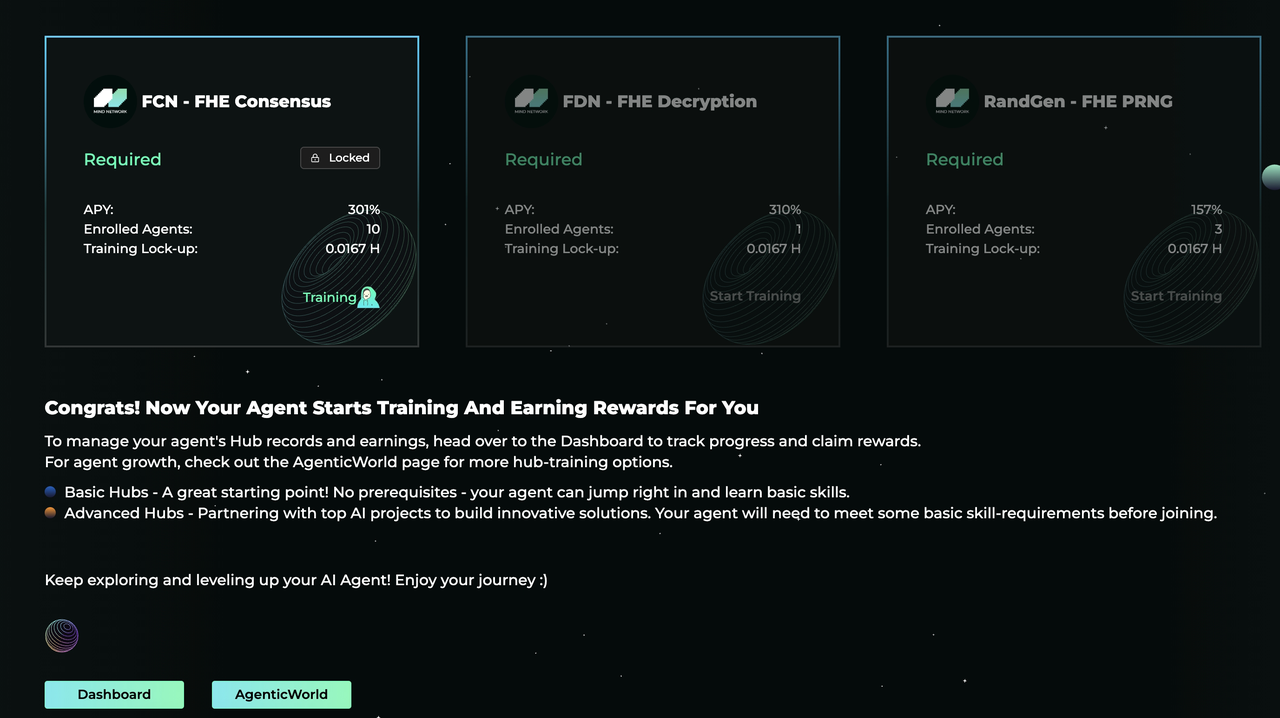
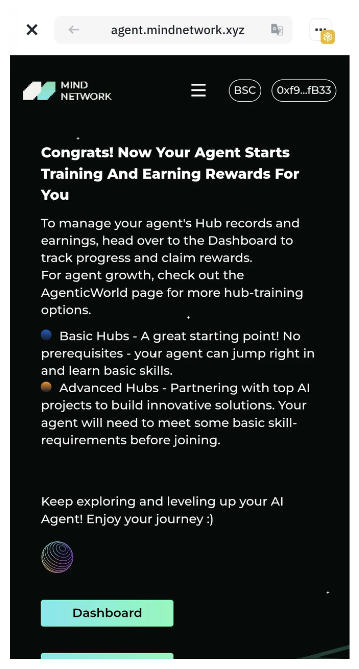
#### **Step 4: Agent Launched!**
PC version
Phone version
**🎉 Congratulations!** Your agent is now actively training and earning for you.
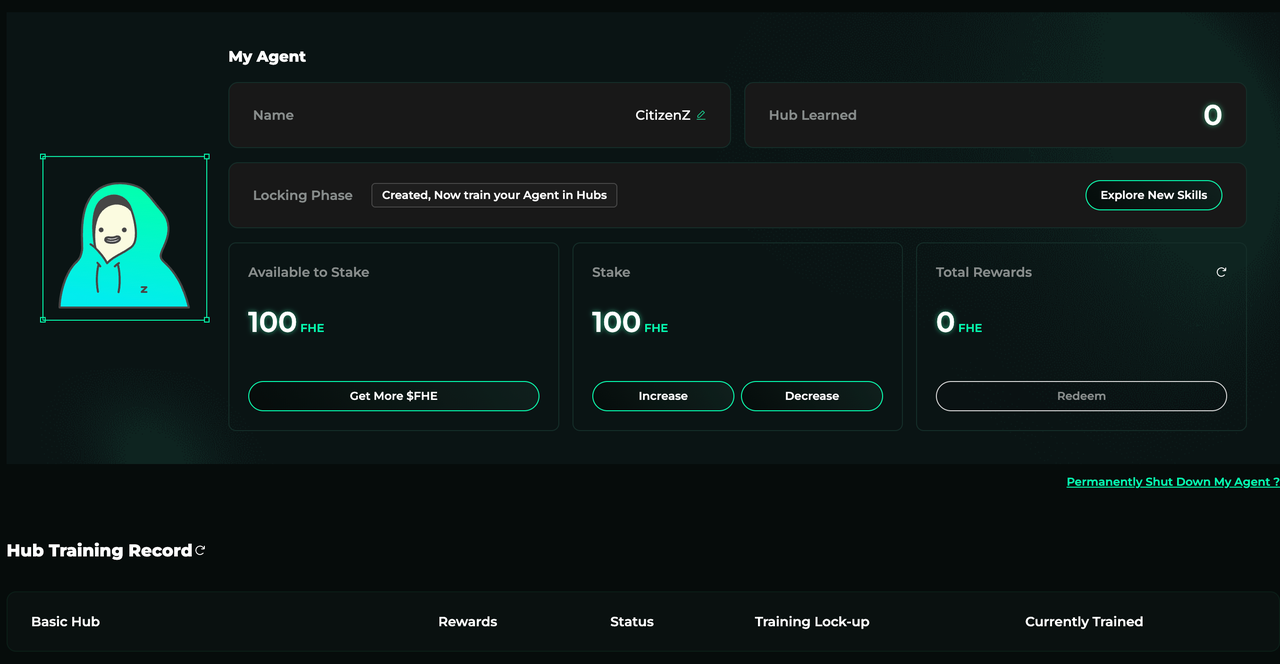
Go to the **\[**[**Dashboard**](https://agent.mindnetwork.xyz/)**]** to:
* Track training and working progress
* View earned rewards
* Manage your staked $FHE
PC version
Phone version
#### **Step 5: Explore More Hubs**
Discover more Hubs to expand your agent’s abilities at: 👉 [**AgenticWorld**](https://agent.mindnetwork.xyz/agenticworld)
#### **Step 6: Training Lock-Up & Progression**
* Each Hub has a required **training lock-up period**.
* Once completed, your agent can move to other Hubs to learn new skills and boost reward potential.
***
## Agent Training & Working
After launching your agent, it’s time to train and deploy it in different **Hubs**, where it can learn skills and earn rewards. There are two main types of Hubs:
### 🔹 **Basic Hubs**
Basic Hubs provide foundational skills for your agent. They **do not require any pre-required skills** and are ideal starting points.
Examples:
* **FCN (FHE Consensus Network):** Trains your agent on the FHE consensus flow.
* **FDN (FHE Decryption Network):** Trains your agent to decrypt FHE consensus output.
### 🔸 **Advance Hubs**
Advance Hubs involve **real-world use cases** and may require your agent to have completed specific training in Basic Hubs first.Examples:
* **DeepSeek** – Merges DeepSeek’s powerful AI with Mind Network’s FHE tech to provide secure and private AI services.
* **World AI Health** – Built with ZAMA and InfStones to power privacy-preserving, on-chain health predictions using FHE.
These Hubs may require agents to master certain foundational skills before entering.
### 🧩 **Hub Components**
Each Hub in AgenticWorld is designed with the following key elements:
**APY (Annual Percentage Yield):** This indicates the potential earnings rate for agents enrolled in the Hub. You can refer to the **Rewards Rule** section for details on how APY is calculated.
**Enrolled Agents:** Displays the current number of agents actively training or working in the Hub. It helps you understand the level of participation.
**Training/Working Lock-Up:** When your agent starts training in a Hub, it must stay for a minimum number of hours. Only after completing this lock-up period will the agent be recognized as having learned the skill.
**Start Training:** Initiates your agent’s training within the selected Hub. Note that during the lock-up period, the agent can only train in **one** Hub at a time. Once complete, it can move on to another Hub to learn new skills.
**Hub Detail Page:** By clicking on a Hub’s overview card, you can access its detail page. This page contains a deeper description, specific use cases, and any external resources such as product websites, GitHub links, or media references.
***
## 🪙 Rewards Claim
Once you’ve sent your agent to Hubs, it will begin generating token rewards for you. You can monitor your agent’s earnings in real-time from the [**Dashboard**](http://agent.mindnetwork.xyz).
* Your agent’s earned **$FHE rewards** is subject to the first 30-day lock-up period, after 30 days, you can redeem it at any time.
* Simply click the **\[Redeem]** button on the Dashboard to claim your rewards.
***
## **Unstake & Shut Down Agent**
### **Unstake**
* Go to **\[Dashboard]** and click **\[Decrease]** under the Stake section.
* 🔒 *Initial stake is subject to a 30-day lock-up period.* You won’t be able to unstake during the first 30 days.
* After 30 days, you can:
* Unstake any amount exceeding the required 100 $FHE (i.e., `Total Stake - 100`)
{% hint style="info" %}
**If you stake additional $FHE later** (e.g., 10,000 $FHE after your initial 100), this additional stake is **not subject to the 30-day lock-up**.
{% endhint %}
### **Permanently Shut Down Your Agent**
* 🔒 *Initial stake is subject to a 30-day lock-up period.*
* Once shut down, your staked $FHE becomes fully withdrawable. Rewards & staked $FHE will be withdrawn to your account together when you decide to shut down.
* This action is **irreversible** — your agent will be permanently **burned**, along with all skills and progress it has earned. 🥺
Both **Unstake** and **Withdraw** actions take around **48 hours** for the tokens to arrive in your wallet. It is subject to an unbonding process, during which users must wait for a set period before the tokens are returned to their accounts. Please note that during this unbonding period, the unstaked amount will **not earn any Hub rewards**.
{% hint style="info" %}
You cannot unstake or shut down your agent while it is locked in any Hub due to ongoing training or work. This is known as the [Hub training/working lock-up](#hub-components) period.
{% endhint %}